

MojoWare
MojoWare Kiosk

Two screens.
One connected experience.

Let your WebApp lead the experience. Coordinate content across screens, run hardware-accelerated interactive apps, and see what each screen is doing—from one Fleet portal.

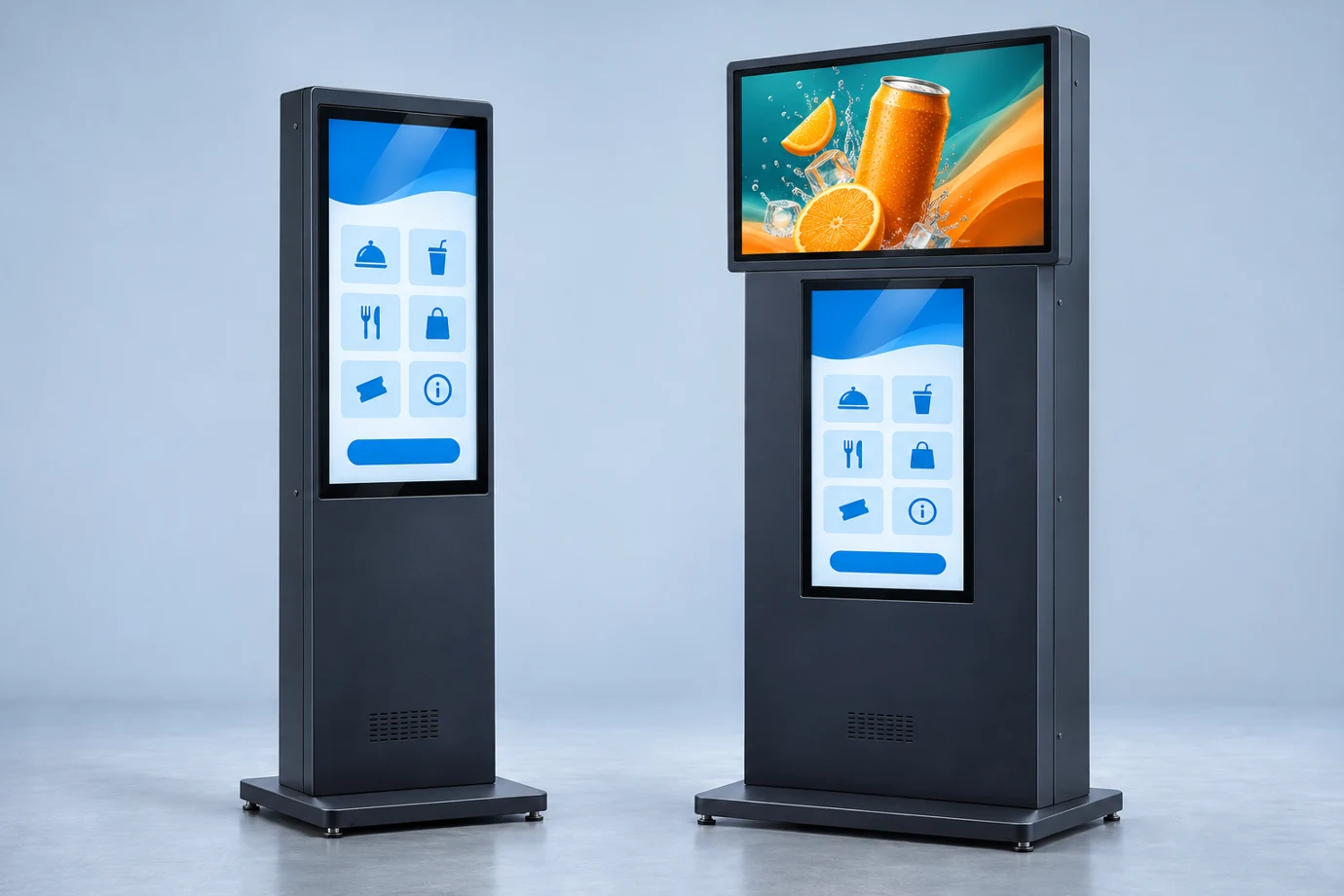
Illustrated examples of a single portrait kiosk and a dual-screen kiosk with advertising above its touchscreen
Single portrait touchscreenDual screen with advertising

Illustrative cabinet configurations.

The experience, connected

Make the next screen
part of the moment.

A win. A welcome. A special offer. Your WebApp can request approved content on an opted-in Advertising screen—and let the playlist return when the moment is over.

MojoWare KioskILLUSTRATIVE DEMO
UPPER DISPLAY Advertising Player
TAKE A BREAKA little
refreshment.
Your next favorite is here.
LOWER TOUCHSCREENExample game WebApp
◆◆◆

Your interactive experience keeps running.

01 / Advertising plays while the customer uses your WebApp.

TRY THE EXPERIENCE

One event.
Both screens respond.

Advertising plays while the customer uses your WebApp.

Cross-screen events are included in Pro. Scheduled advertising playlists require Pro + Ads. Your WebApp developer connects the event to MojoWare’s bridge.

Meet MojoWare. In 48 seconds.

A product reel: interactive kiosks, advertising, Fleet and connected operations. Music on, or follow the on-screen titles.

Download the product reel

Know what each screen is doing

Find the WebApp.
Find the problem.

Go beyond a single device-wide number. See CPU, memory and downloaded/uploaded data for each screen’s managed WebApp.

Check whether the interactive app or the advertising player is using resources. Review its history, inspect a screen capture, and investigate remotely before sending someone onsite.

Explore Pro diagnostics
One kiosk. Two WebApps.EXAMPLE DATA
Lower touchscreenInteractive WebApp
CPU
32%
Memory
640 MB
Last 24 hours↓ 180 MB ↑ 12 MB
Upper displayAdvertising Player
CPU
8%
Memory
210 MB
Last 24 hours↓ 460 MB ↑ 4 MB
Illustrative diagnostic summary, not a live portal capture. Metrics are attributed to each managed browser instance; network history includes observation coverage.

Pilot feature

See what’s on your kiosk, live.

Open Watch Live in the Fleet portal to see the kiosk screen as it happens. Record a short clip to review later in the kiosk’s private history. A red Rec badge appears on the kiosk screen during recording.

Ask about Watch Live
Illustration of a kiosk screen during recording.

Built for interactive kiosks

Your WebApp.
Hardware behind it.

Hardware-accelerated WebGL and compositing for games, video and animation. Separate browser sessions for each display. Device credentials and management services kept outside the WebApp environment.

Explore the encrypted $350 board kit

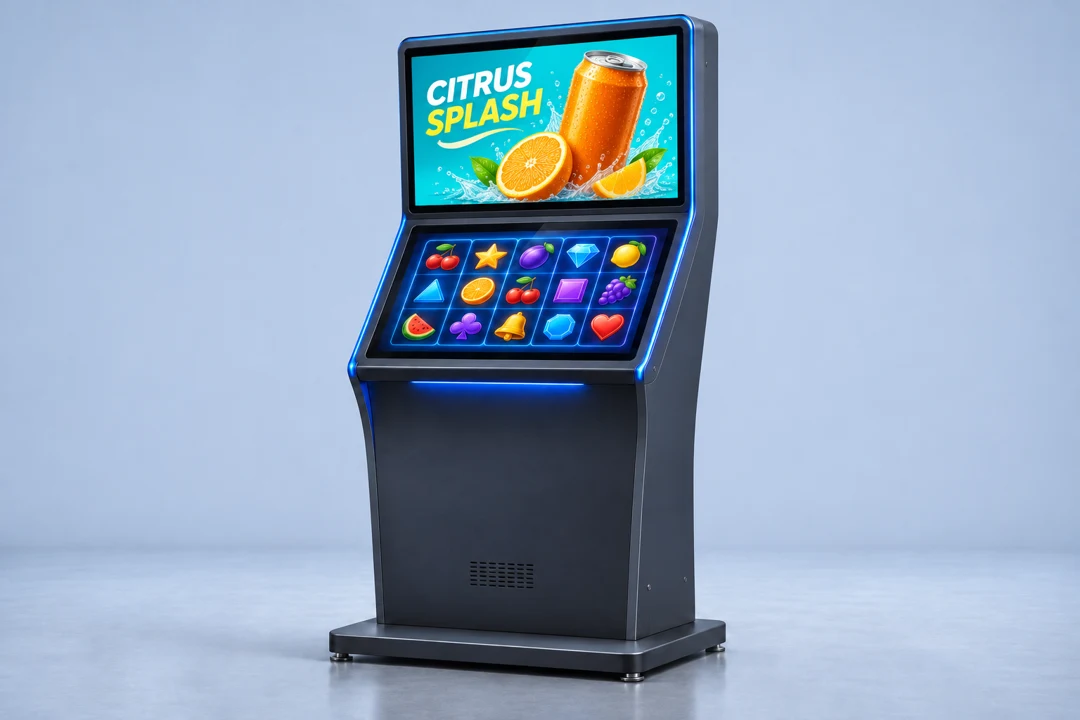
Dual-screen slot-style kiosk

Run an interactive WebApp on the lower touchscreen and a dedicated ad playlist on the top display with Pro + Ads.

Compare Fleet plans
Illustrative dual-screen slot-machine-style kiosk with a citrus ad on the top display and demo reels on the lower touchscreen
Illustrative cabinet configuration
Real-time device statusSee which kiosks are online.
Network monitoringReview connectivity and traffic history with Pro.
Encrypted device storageProtect stored data on the encrypted board kit.
Cached ad playlistsKeep downloaded ads playing during a connection outage with Pro + Ads.
Interaction reportsReview reported taps and sessions with Pro.

Encrypted Kiosk Board Kit

$350USD per kit

Configure a kit order

Encrypted storage protects data on the board. Hardware-accelerated WebGL and compositing power interactive content. Each display runs its WebApp in a separate browser session, with device credentials and management services kept outside the WebApp environment.

2.4 GHz quad-core
64-bit Arm Cortex-A76
Dual HDMI
Up to 4K at 60 Hz per output
Wi-Fi & Ethernet
Dual-band Wi-Fi and Gigabit Ethernet
4 USB ports
2 × USB 3.0 and 2 × USB 2.0

Kiosk Fleet

Fleet plans from $5 per kiosk.

Manage a supported second display under the same license. Starting monthly rate with annual commitment, in USD.

See plans and estimate your cost
  • BasicInventory, live status and remote WebApp assignment
  • ProRemote diagnostics, interaction reports and cross-screen experiences
  • Pro + AdsScheduled ad playlists with offline playback

From startup to Fleet.

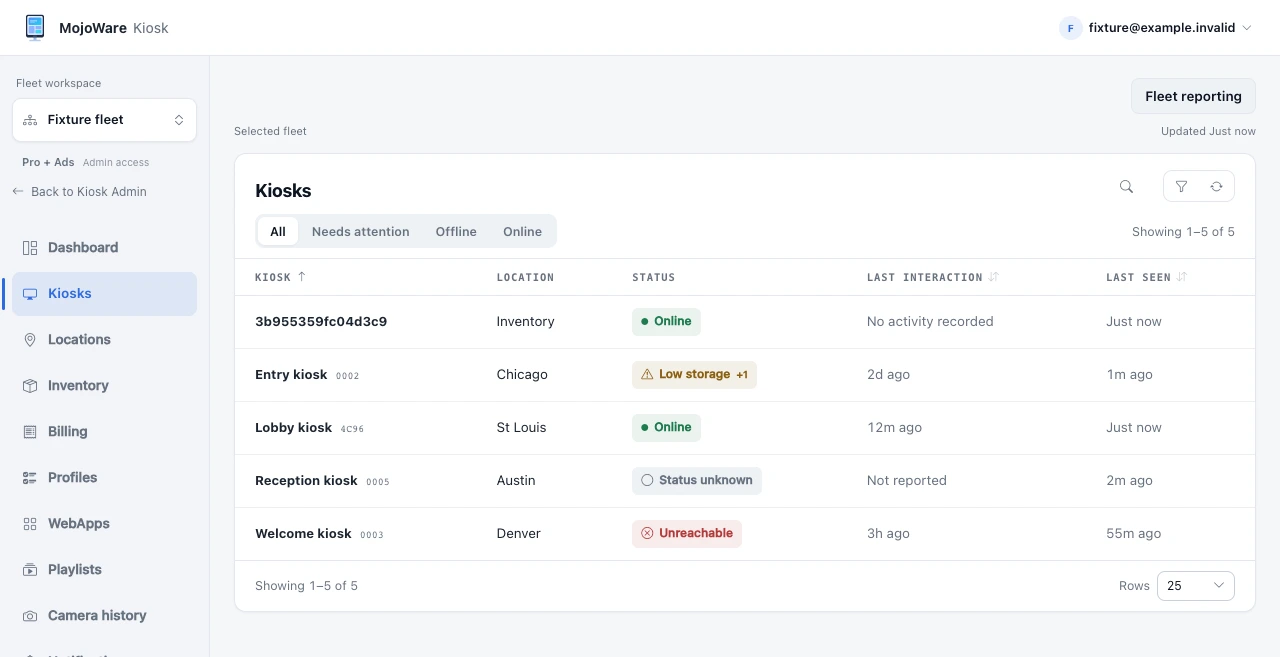
See the Kiosk startup screen and the operator workspace.

Kiosk developer docs
Official MojoWare Kiosk startup screen
Kiosk startup screen
Kiosk portal showing a demo fleet’s kiosks, locations, connectivity and recent activity
MojoWare Kiosk portal · Demo data

MojoWare Kiosk portal

Demo data

Kiosk portal showing a demo fleet’s kiosks, locations, connectivity and recent activity